Ultra-fast local file search

Search massive folders in milliseconds.

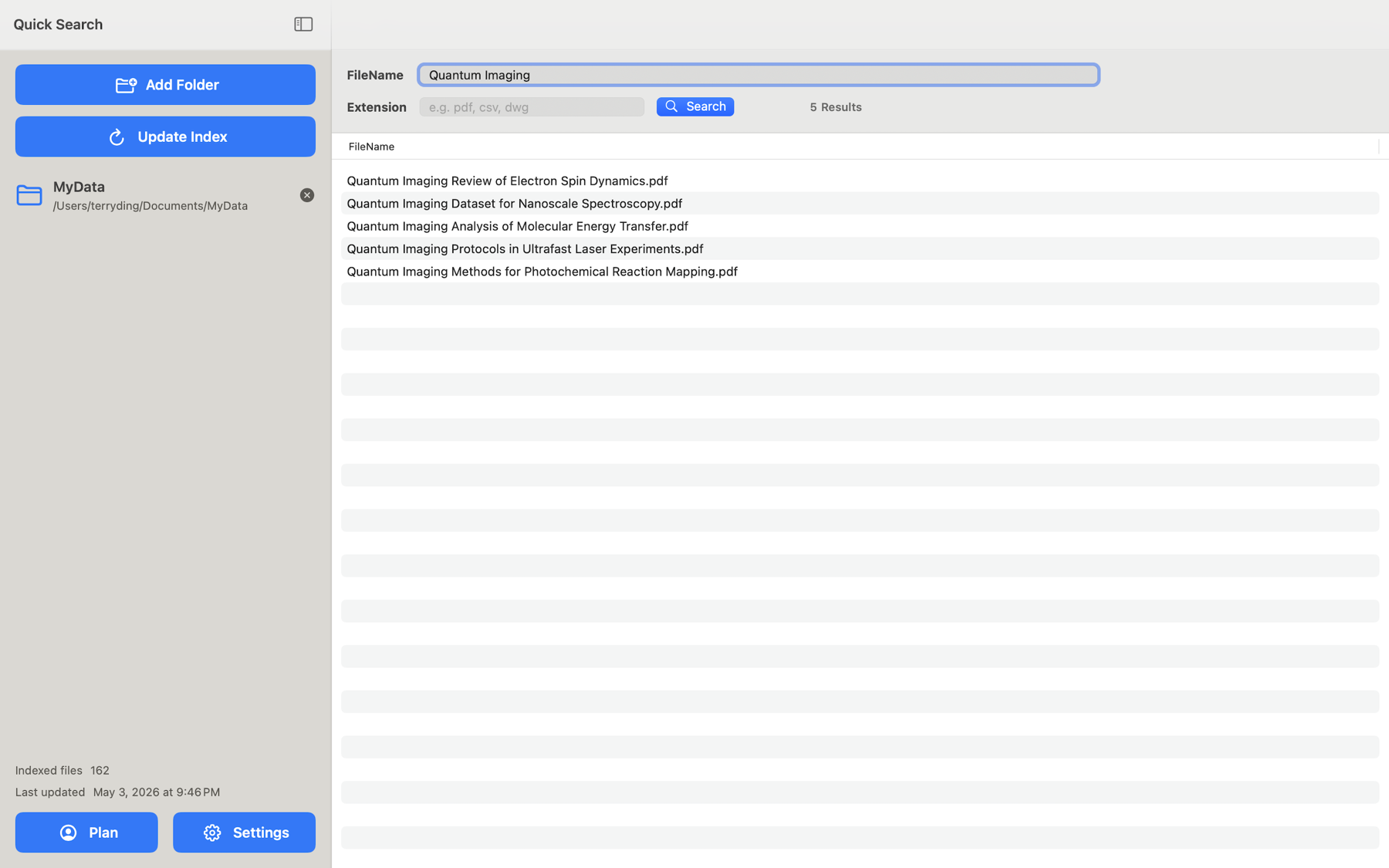
Quick Search File is a lightning-fast local file search tool for iOS, macOS, authorized folders, and macOS Command Line Interface (CLI) workflows for AI and automation. Build a local index of the folders you choose, then find documents by filename, extension, and search terms in milliseconds.

Available on the App StoreiOS and iPadOS appmacOS app with optional CLI
APPDownload

Available on the App Store for iPhone, iPad, and Mac.

Performance first

100,000-file stress test. Millisecond search on macOS and iOS.

Quick Search File is tested with generated 100,000-file datasets to validate lightning-fast filename search in large collections. Actual results depend on device, storage, folder size, and cloud provider state.

Search conditionCombined filename terms with default AND matching and an extension filter
4.952 ms

Average macOS App search time across three 100,000-file test runs

6.731 ms

Average iOS search time, showing outstanding performance on mobile devices

Platforms

One local-first search idea across Apple devices.

Use touch-first search on iPhone and iPad, or use the macOS app with its Command Line Interface (CLI) for desktop, Terminal, shell pipelines, AI-assisted workflows, and automation after enabling CLI support.

Quick Search File iOS icon

iOS and iPadOS App

Authorize folders through the iOS Files picker, including iCloud Drive and Files app locations that allow folder access, then search by filename and extension. Includes 3 free searches; continued search access requires a subscription.

Quick Search macOS icon

macOS App + CLI

Add folders and build the local index in the native Mac app. The Command Line Interface (CLI) uses the same local index for Terminal search, update, status, paths-only output, JSON metadata, AI-assisted workflows, and automation. CLI features require an active subscription and must be enabled in the macOS app.

Use cases

Built for the files people actually need to find.

Quick Search File focuses on filename search, extension filters, and transparent folder paths, making it practical for everyday document-heavy work.

Contracts

Find agreements by year, client, project, or file extension without opening folder after folder.

Invoices

Search invoice names across local folders, authorized cloud-synced folders, and archived project directories.

PDFs

Filter by pdf and combine it with filename terms to narrow a large document set quickly.

Authorized folders

Use local folders, iCloud Drive, and supported file-provider locations when they are available and explicitly authorized.

Project archives

Search old work folders where file names and paths are often the fastest way to identify the right document.

AI and automation

Use Command Line Interface (CLI) output in scripts, shell pipelines, Shortcuts, and AI coding sessions after enabling CLI support in the macOS app. JSON output gives AI tools structured file metadata instead of plain text.